Methodology
Our Approach
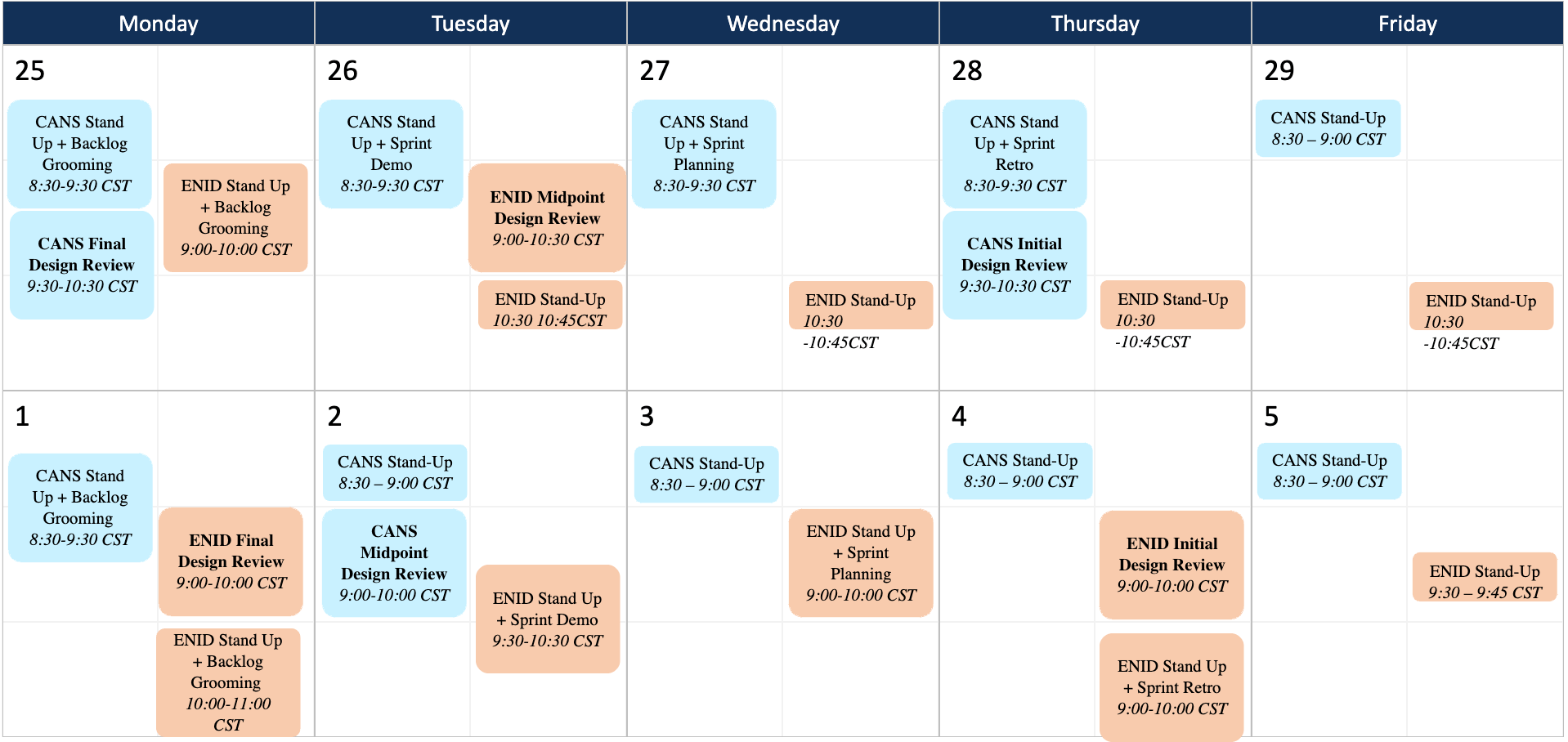
A telecom enterprise required a unified platform to consolidate multiple legacy applications — Crosswalk, SECIP, ENID, CANS and COST OPS — into one seamless experience. Users were swivelling between apps, causing delays, data duplication, and significant drops in operational efficiency.
Underneath the veil of our entrancing presentation lies a carefully crafted strategy — a special glimpse into our hidden blueprint.
Smooth integration of all applications through various APIs unified in a single layer.
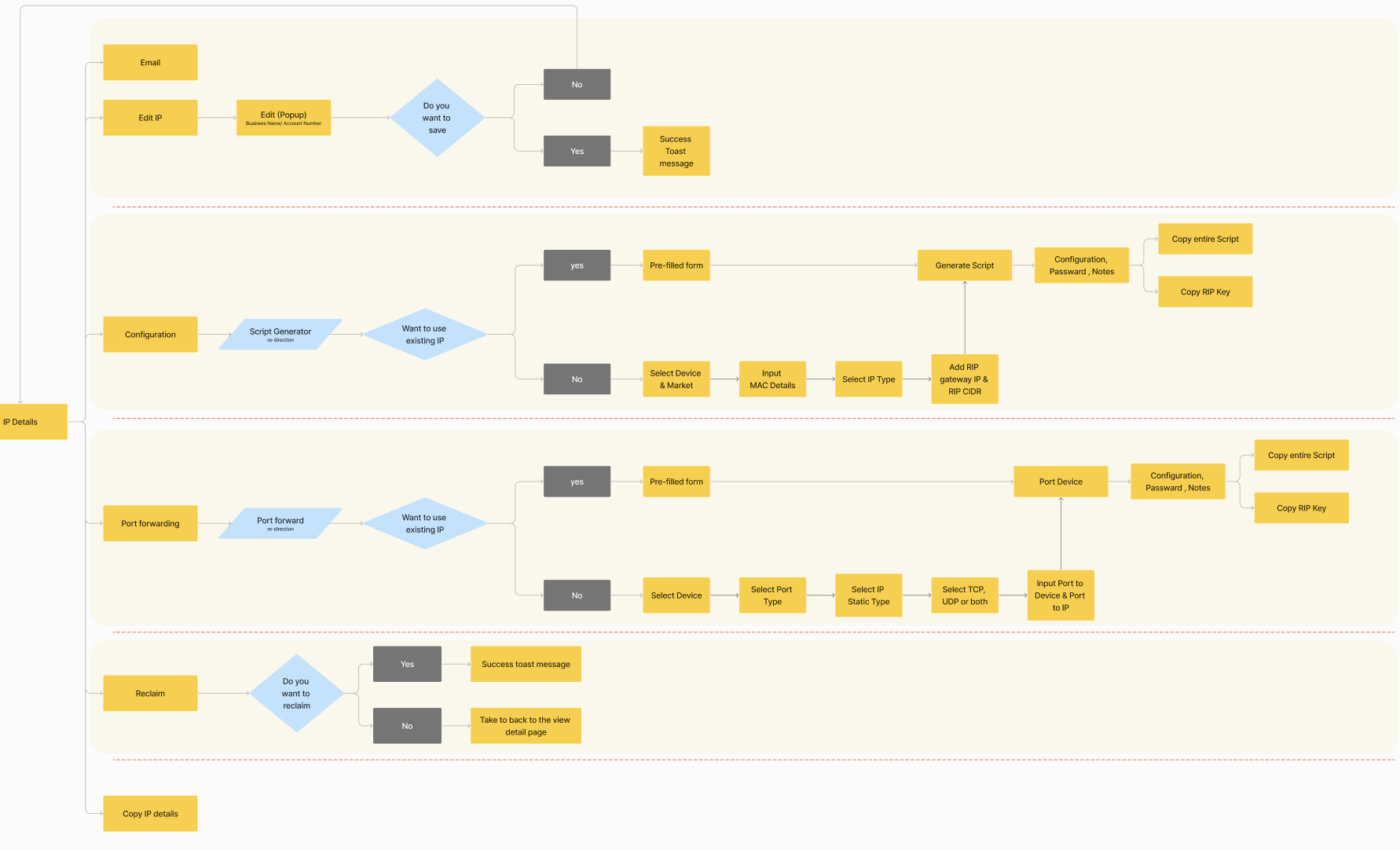
Seamless execution of IP blocks and scripts, from customer request to final execution.
Leverage our adaptable framework, designed to be applied across a variety of Charter applications.
Transition effortlessly between applications, minimizing the need for multiple software interactions.
Reduce Swivel movement between applications which would enhance the application usage experience.
Modernized user interface and enhanced user experience.
Optimized processes with improved flows to boost efficiency.
Seamless user interactions by integrating multiple applications into one unified platform.
Minimized efforts with reduced software swivel.
Accelerated workflow with a promise to reduce ticket and application access time by 25%.
Redesigned application that respects the existing mental model, ensuring an improved experience without steep learning curves.
How design deliverables were fit into agile?
Frequent client calls scheduled by Functional team?
How can we avoid client overlap, as there are instances we had common stakeholders between the Products?
Regular audits and iterative reviews have been instrumental in identifying areas for enhancement. These activities not only maintain design integrity but also contribute to an evolving backlog that continuously challenges and expands our design team's capabilities.
Cross Product Audit Covering key parameters such as Business and user research, idea synthesis, User experience and visual designs — which enhances the trust we have created with the client by sharing proper audit documentation and has been instrumental in reviewing our own Design Quality.

Customer wants to migrate into brand new UI called Crosswalk — an exact replica of Scriptsure Project.
Their expectation towards Crosswalk is clean and standard code which follows SOLID principles.

Streamlined design enabling users to easily navigate and find required insights by reducing clicks and time by 25%.
Unified Access Architecture — simplified user experience by integrating all necessary apps inside Crosswalk.

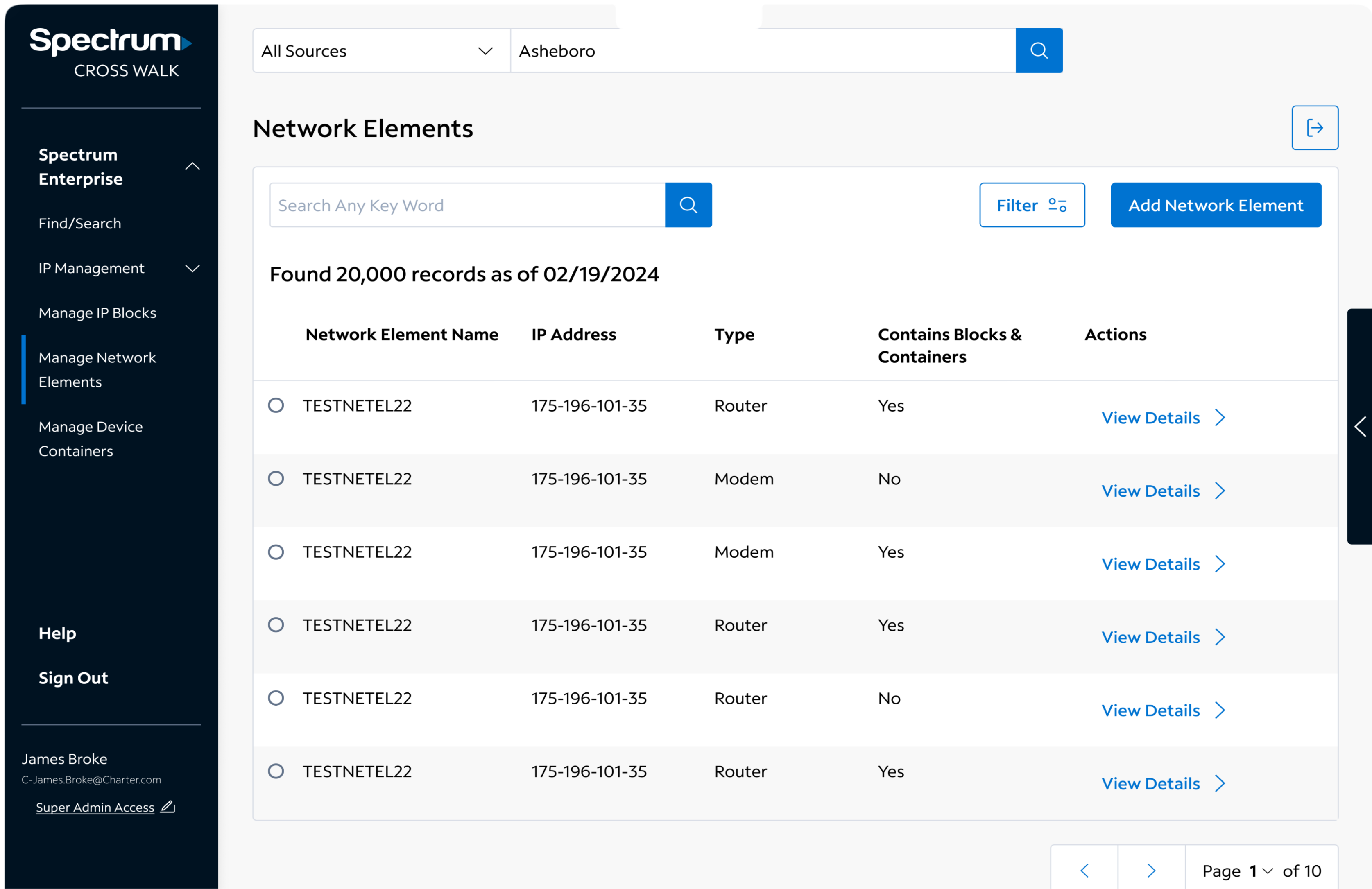
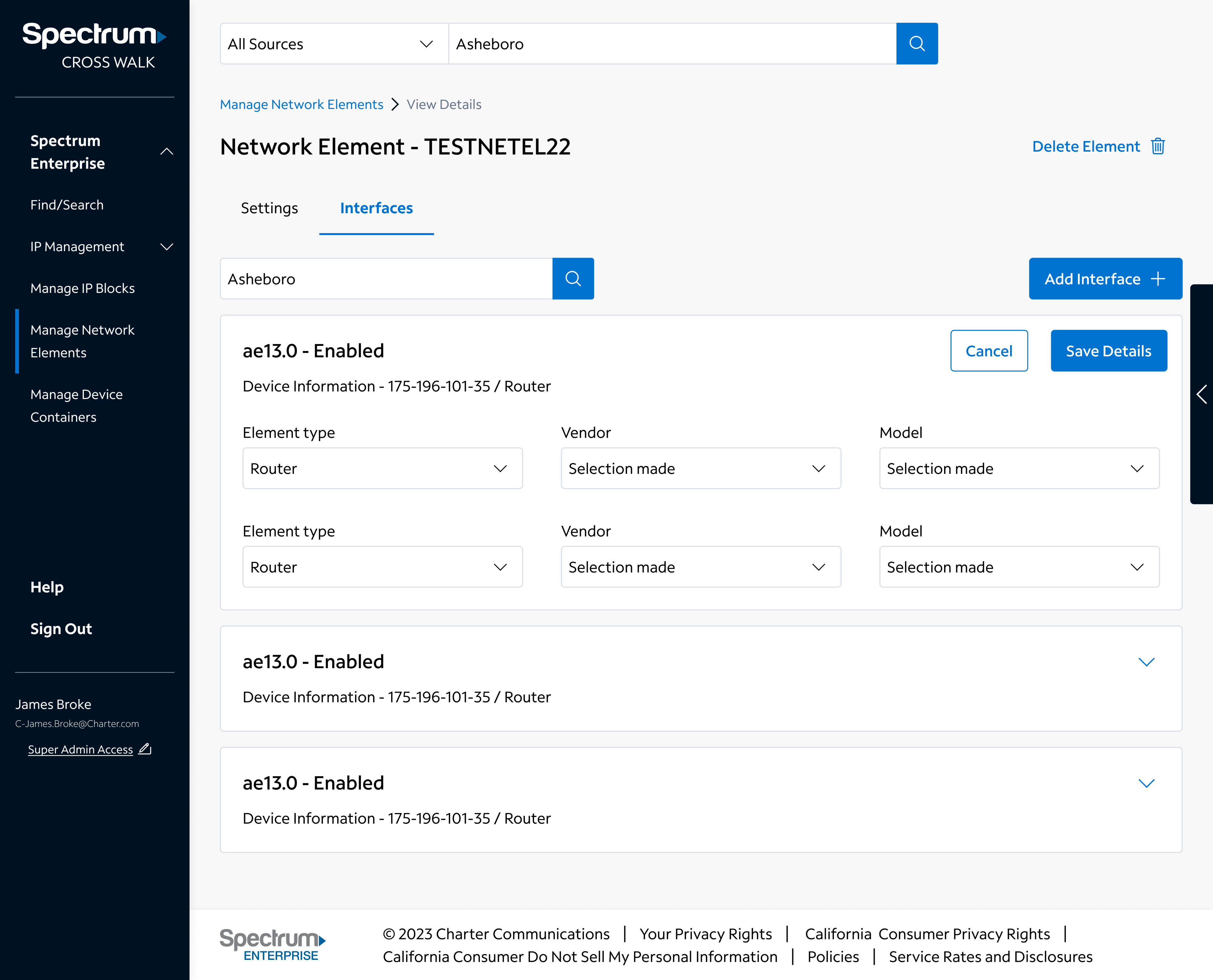
Require seamless experience to end users by integrating multiple applications into one.
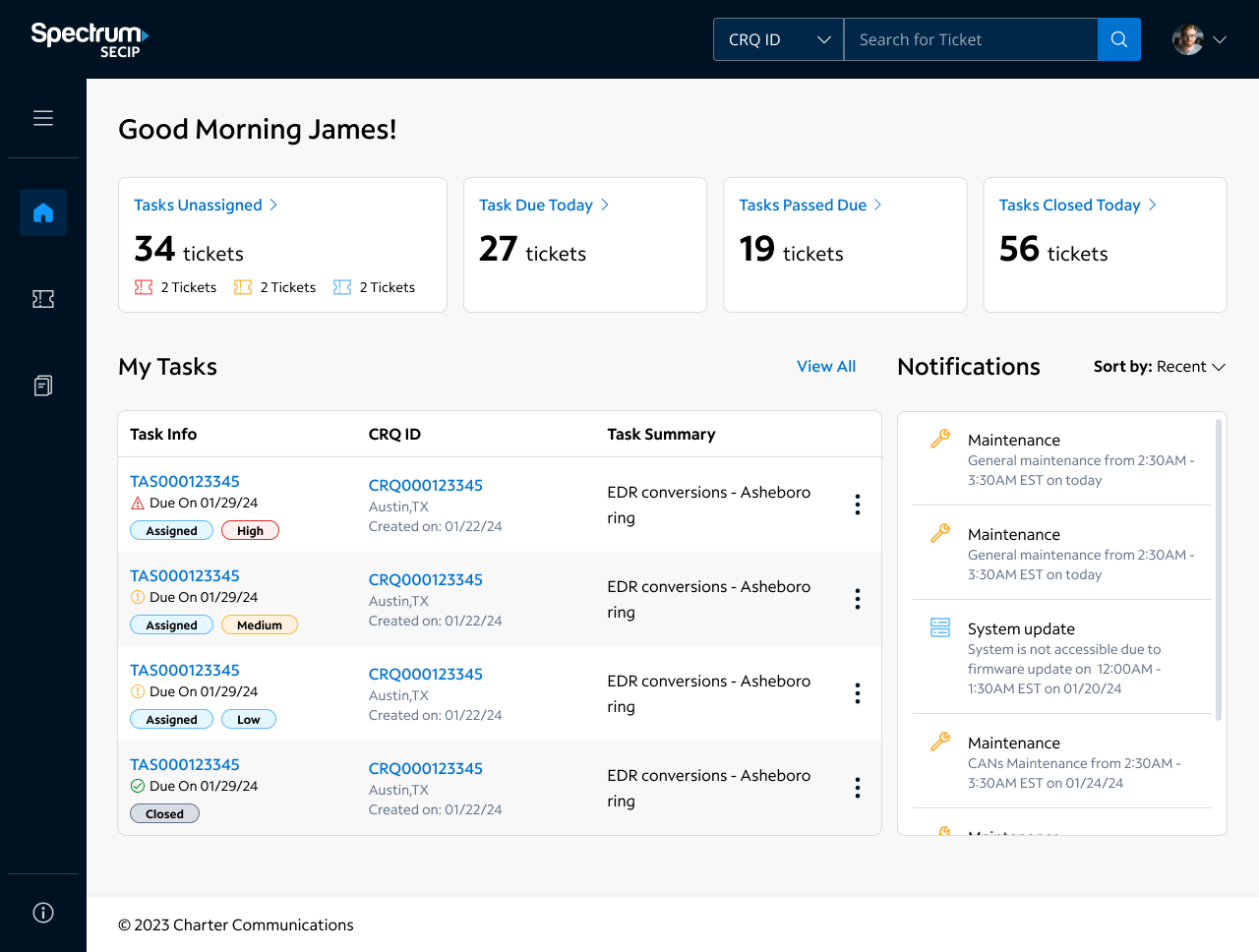
Notifications are sent based on scheduled maintenance — automating the existing process would ease the experience.
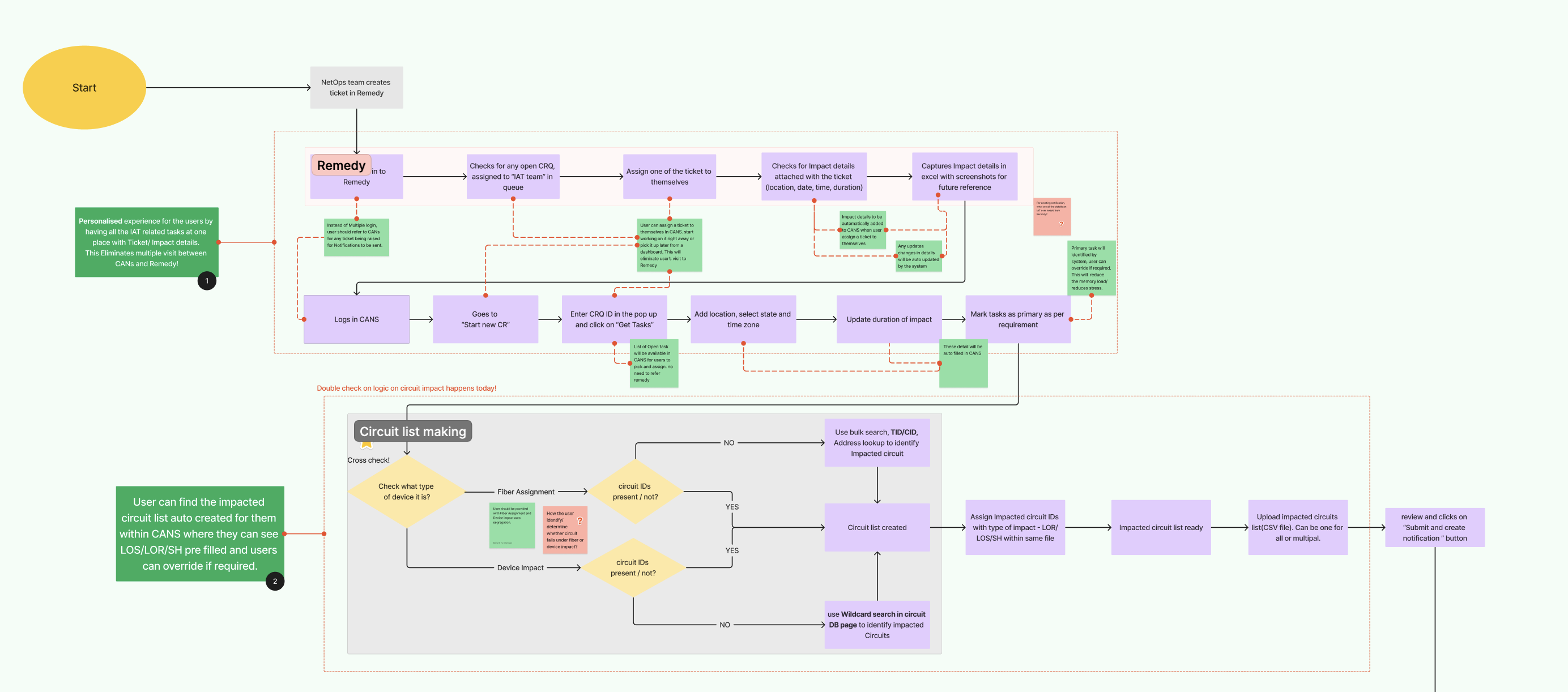
Automate the integration between CANs and Remedy / other applications.
Reduced ticket creation time by 25–35%.
Automate the integration between SECIP and other backend applications.
A design that comprises the requirement without affecting the users mental model — well appreciated by the Charter team.
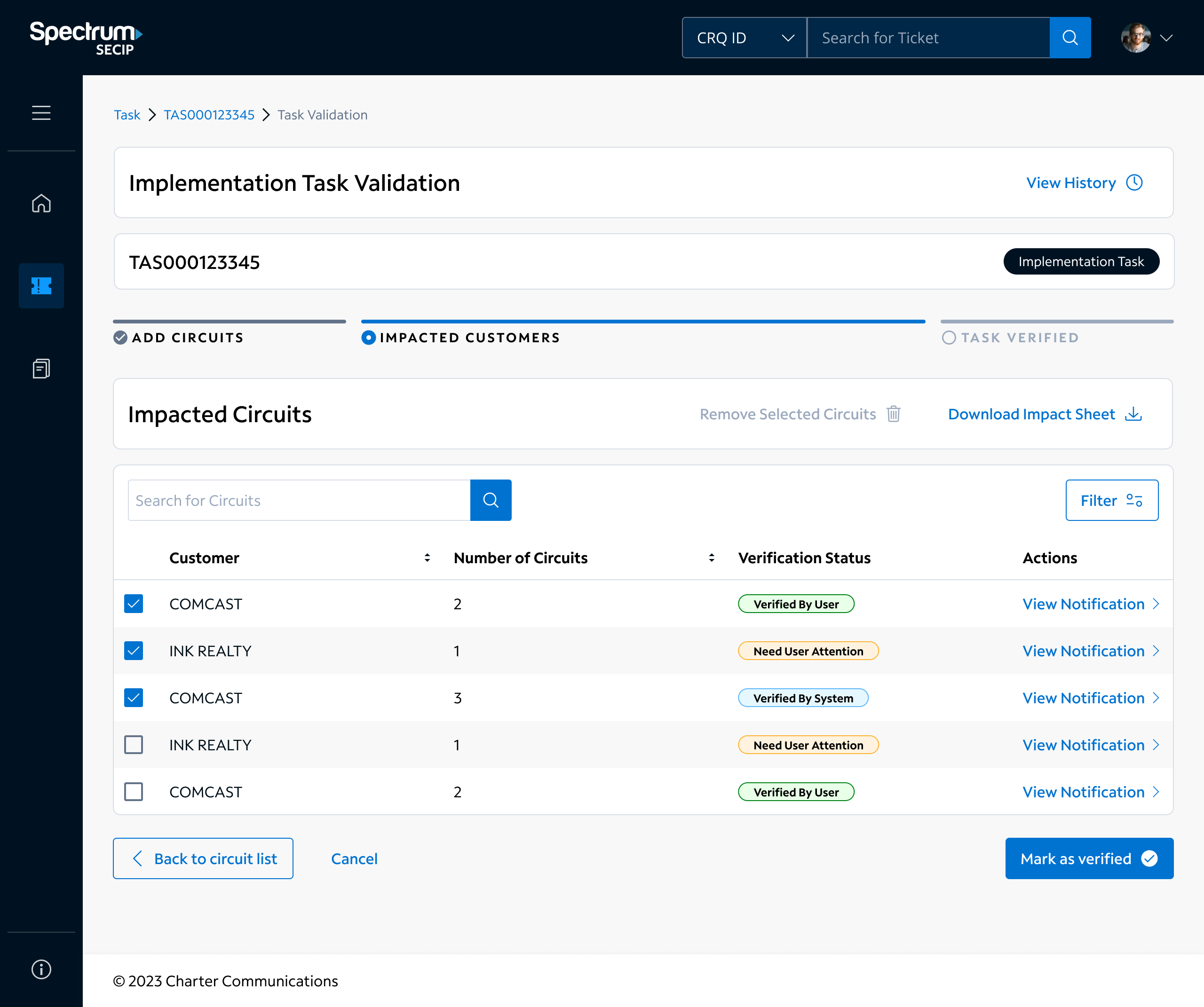
Had to refer multiple applications to create an Activity that helps users to find the false alarm.
User must manually inspect system due to poor alarm notification design.
Due to recurrent JIRA-ENID data collection, ticket creation takes time.
Streamlined flow of activity creation helped in reducing the time creation by 30 minutes per ticket.
Automated the ticket creation flow by integrating JIRA and ENID.
Using a machine learning method, we enabled the system to predict erroneous alarms, reducing ticket redundancy.
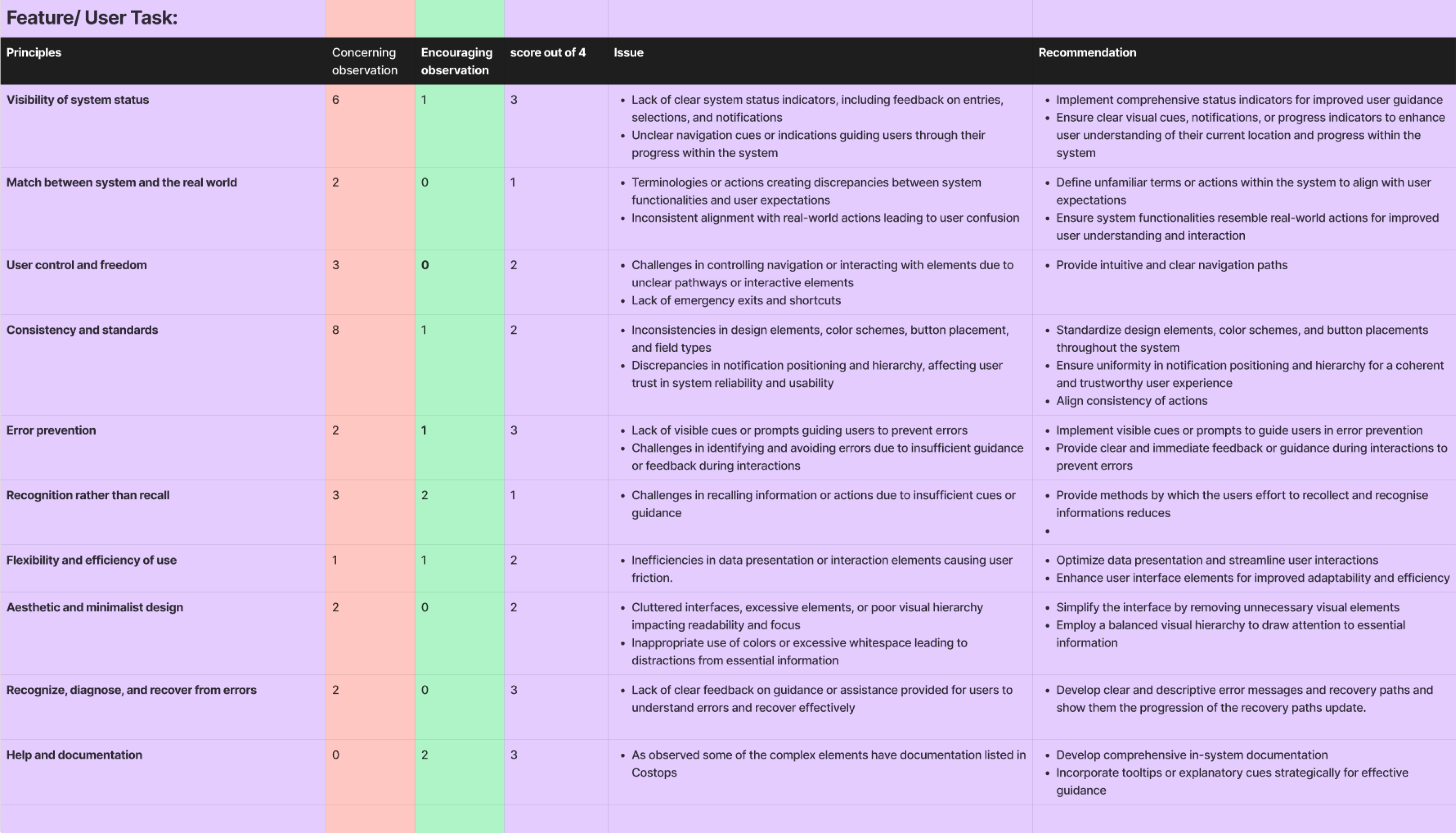
80+ concerning observations · 35+ encouraging observations · 100+ recommendations captured during the heuristic evaluation phase.
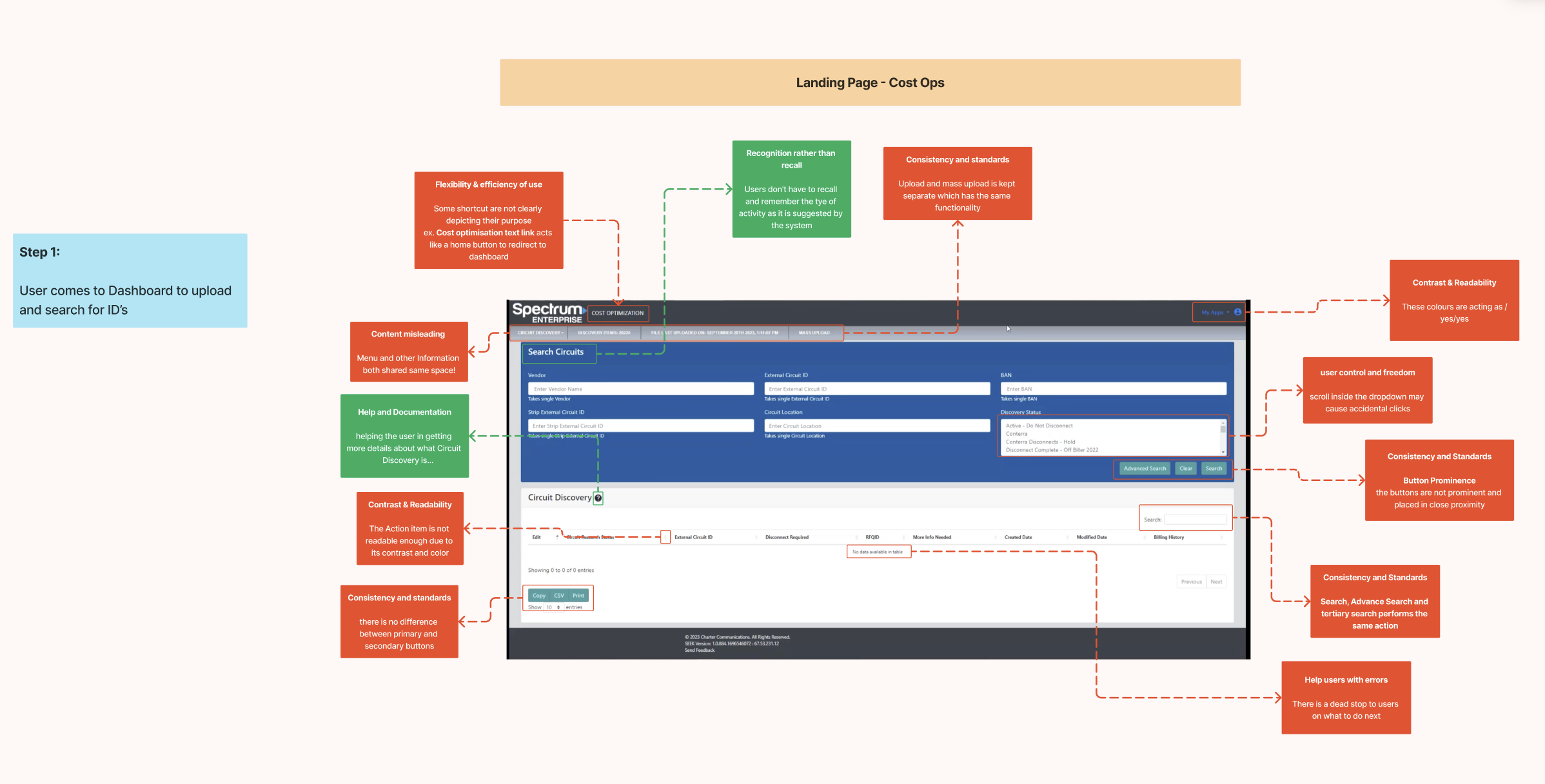
30+ one-on-one user interviews conducted across multiple stakeholder groups to surface real pain points and expectations.
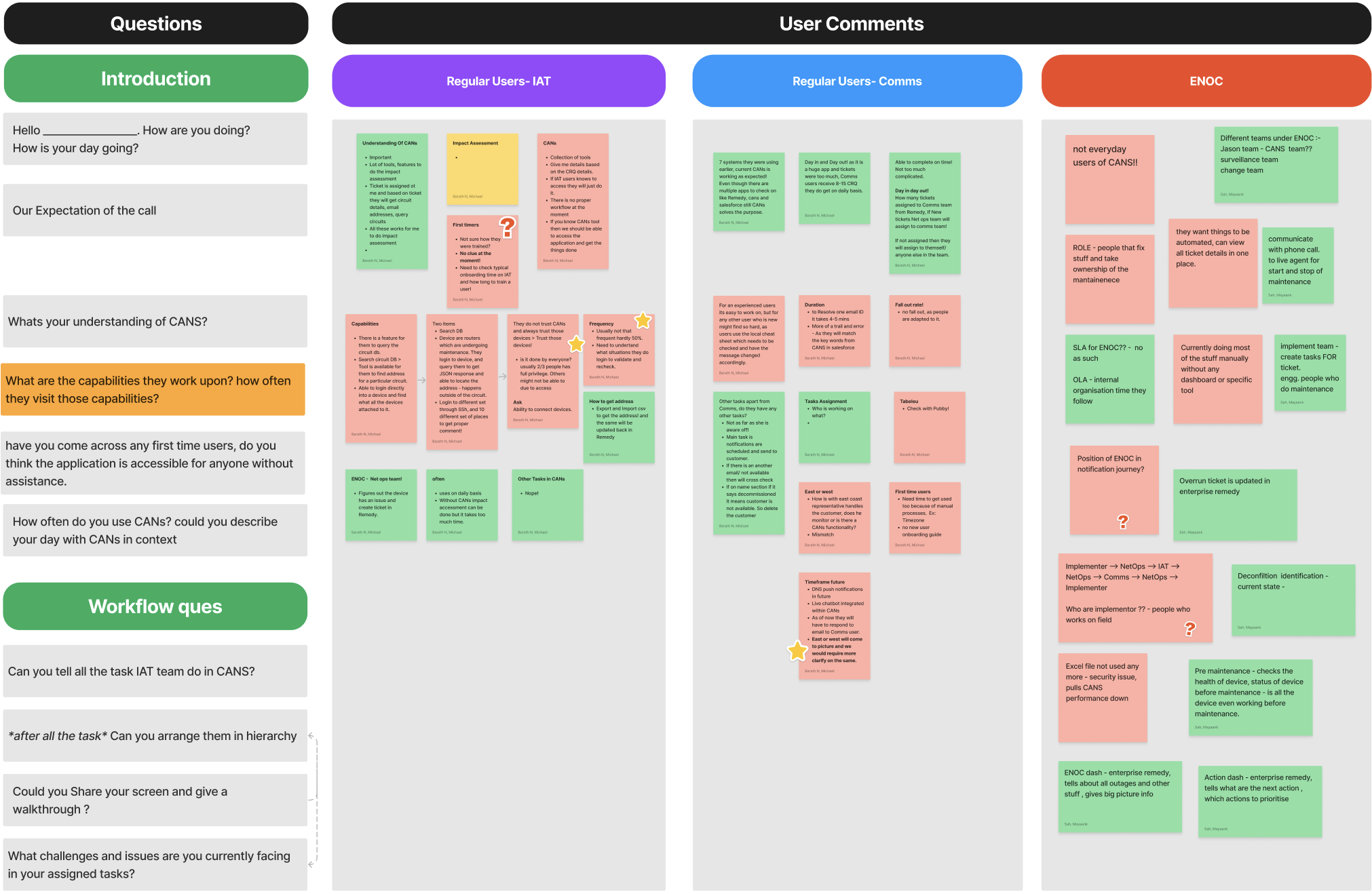
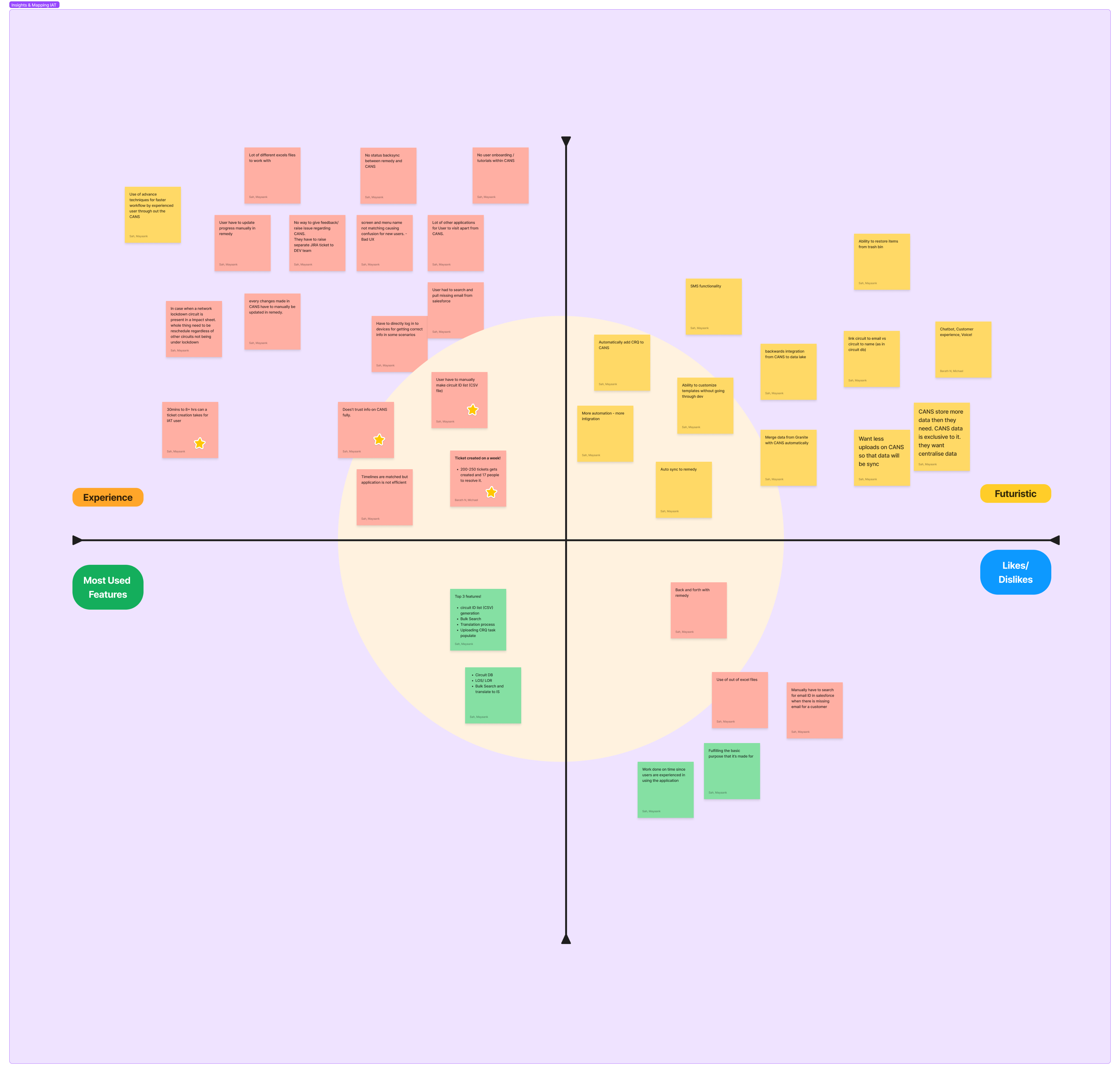
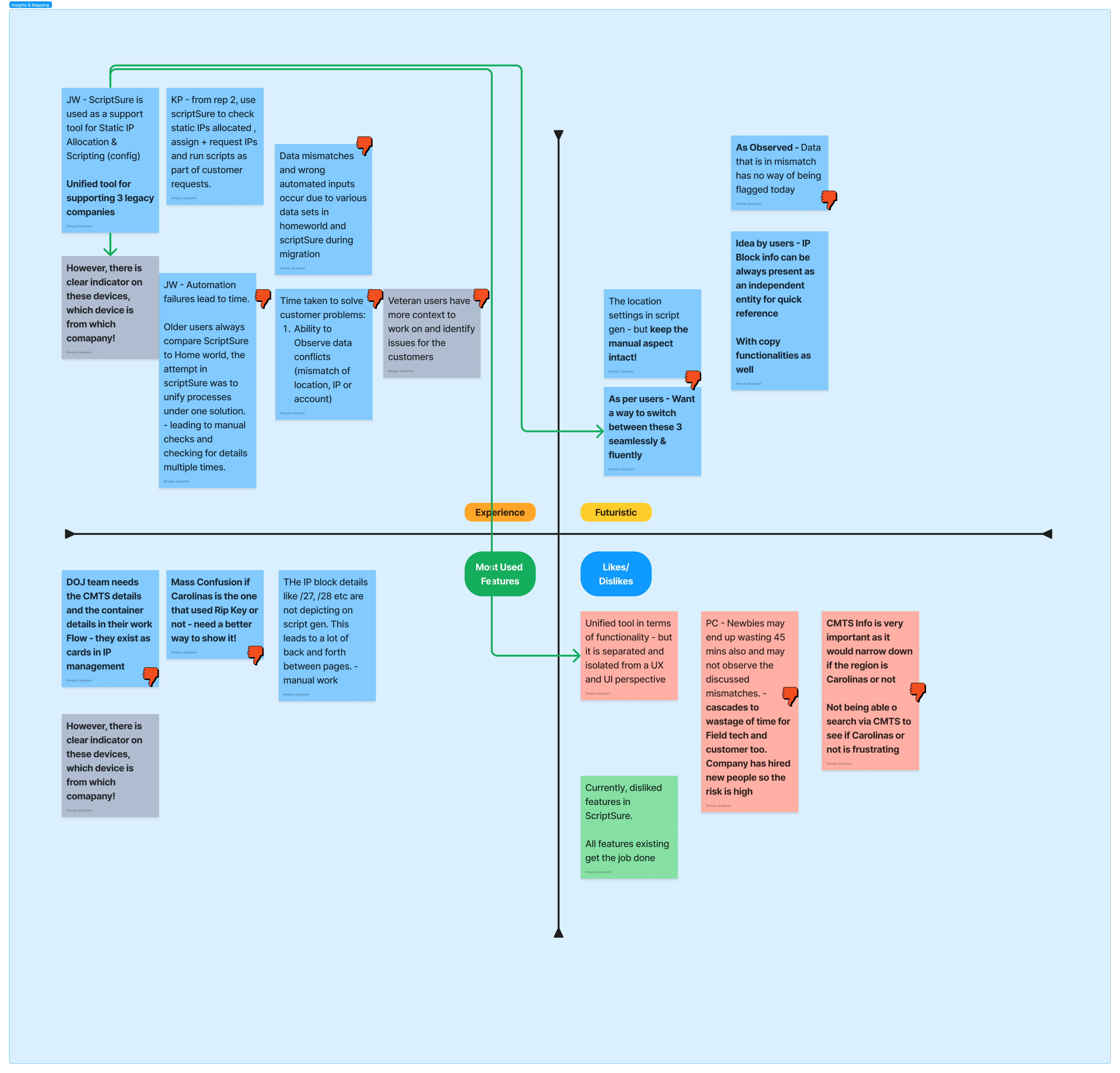
10+ insights mapping artefacts created for various user groups — surfacing patterns, opportunities, and design imperatives.
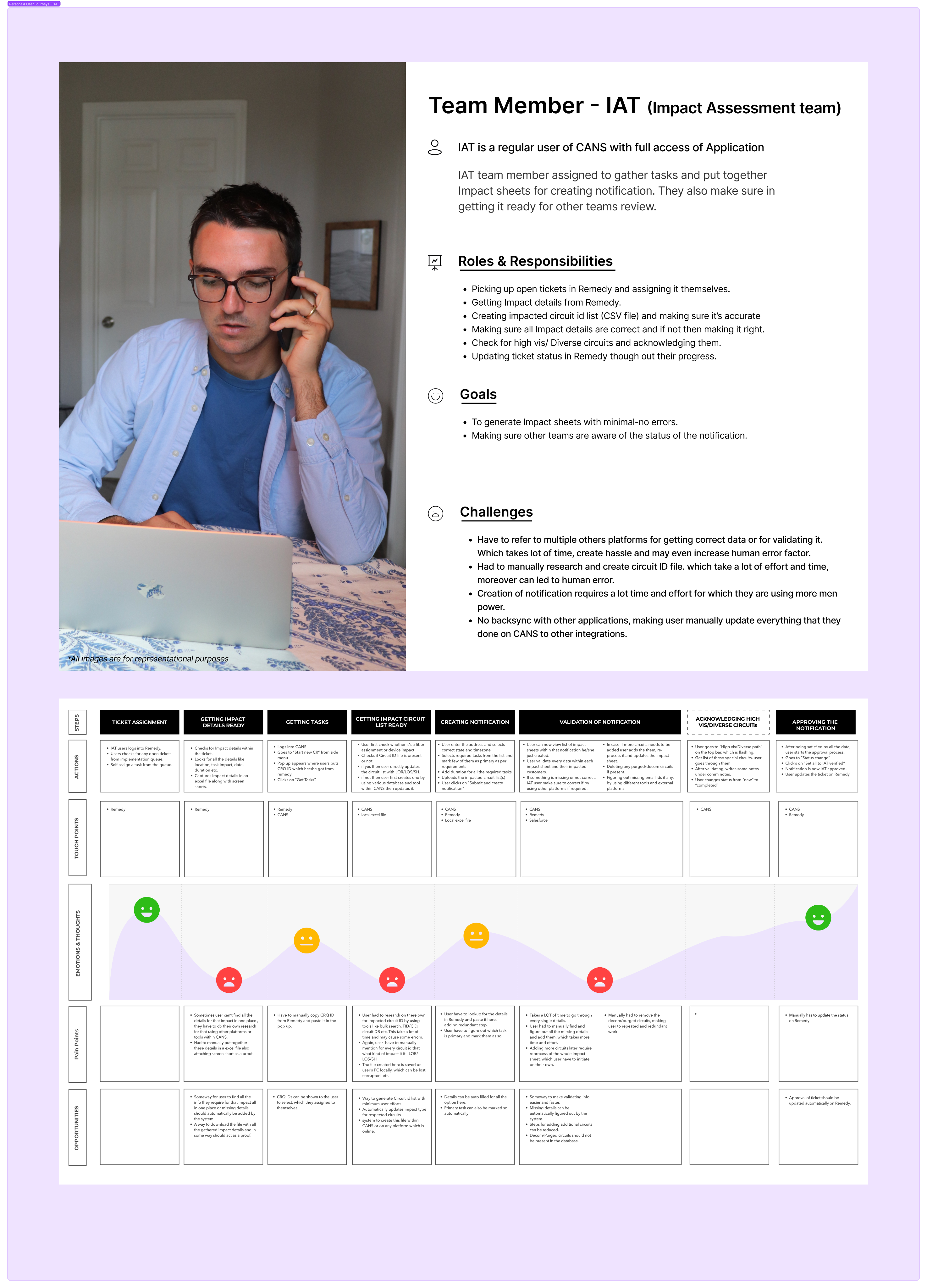
13+ personas and journey maps produced, covering Tier-1 to Tier-3 support engineers, field technicians, and operations managers.
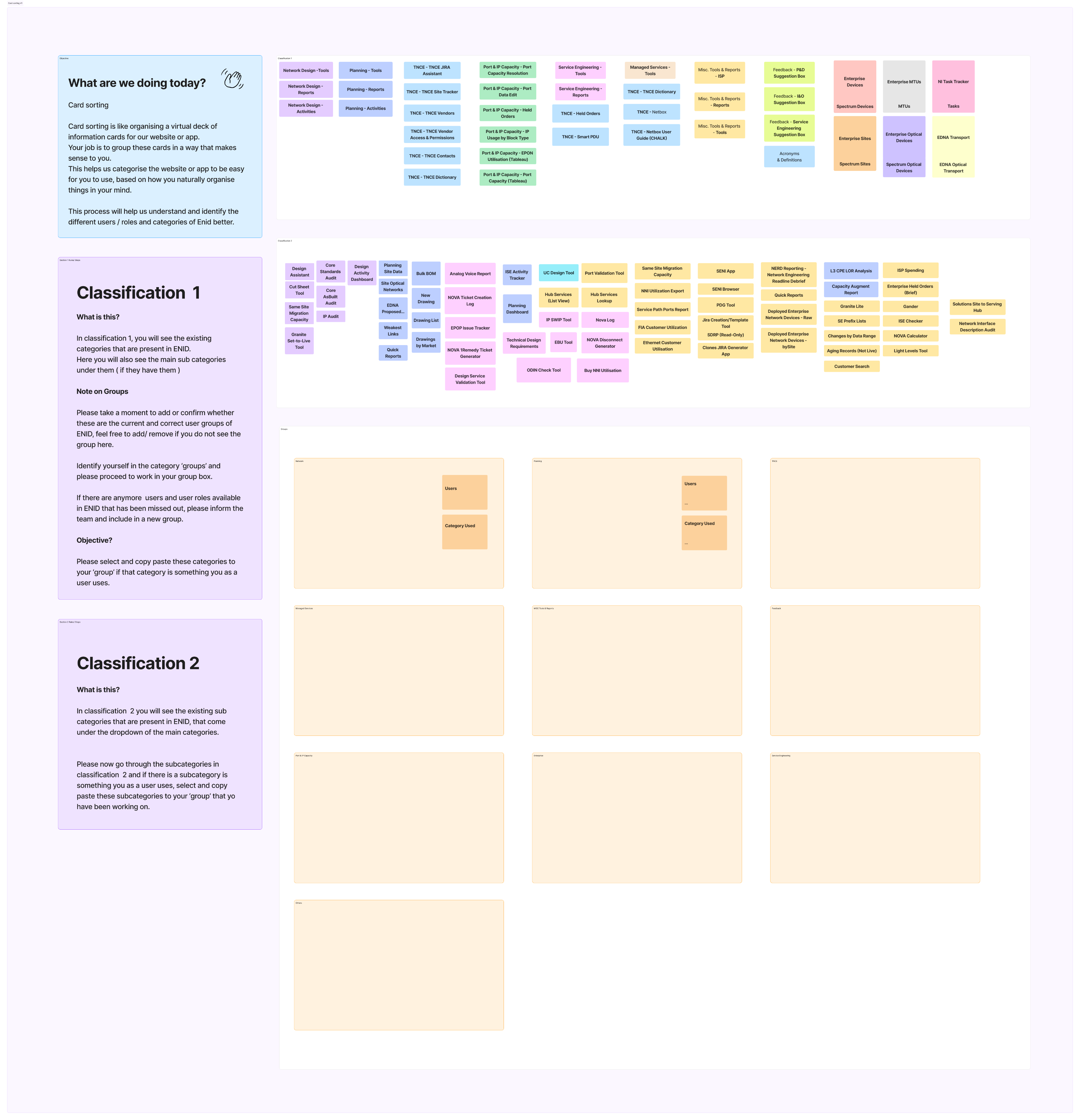
22+ future-state task flows defined to ensure the redesigned platform aligns precisely with real-world operator workflows.
Let's discuss how enterprise UX strategy and unified platform design can transform your operational efficiency.